bdpkok App – Run Every Game From Your Pocket
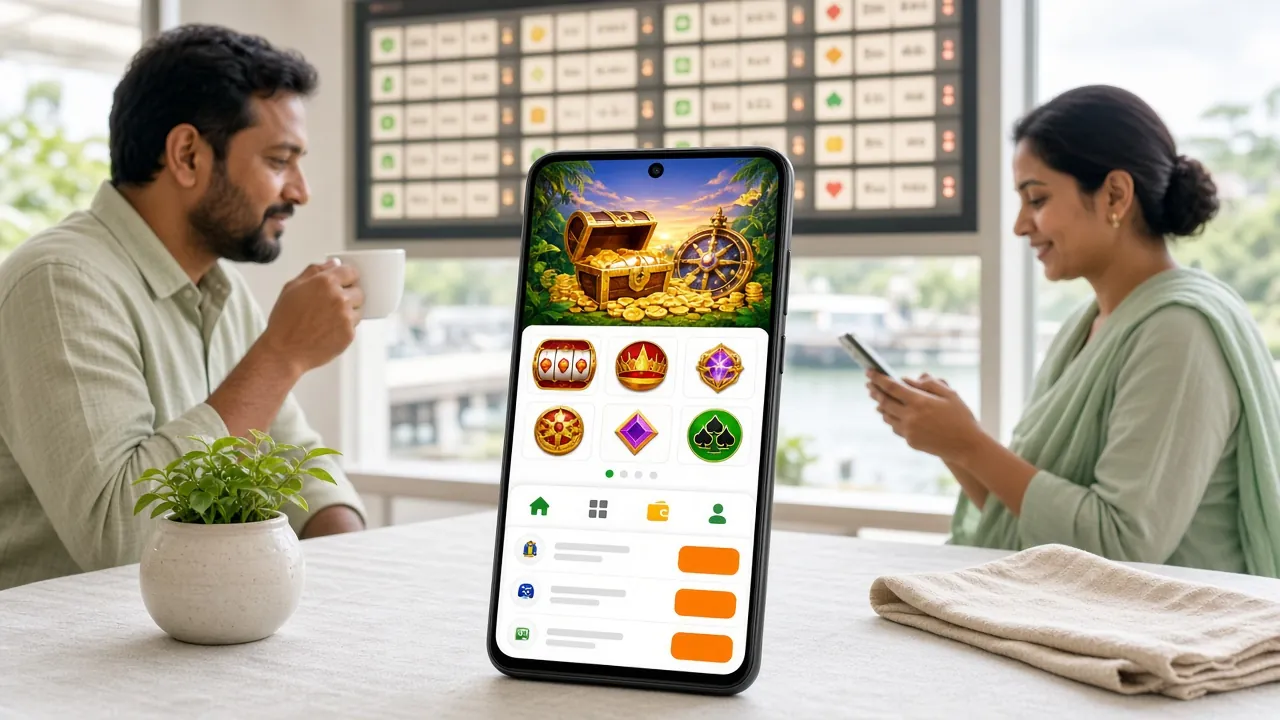
The bdpkok app brings slots, fishing games, live casino tables, and cricket betting to your Android phone. One free download, instant bKash top-ups, and withdrawals to Nagad in around 34 minutes. Version 2.0.3 · 58 MB · Android 6.0+.
- Safe APK
- Android 6.0+
- bKash & Nagad
- 24/7 Live Chat
- 18+ · Play Responsibly
Scan to download
System Requirements & Version Info
Everything you need to know before you tap "Download". The bdpkok app is free, lightweight, and works on most Android phones made after 2015.
| Detail | Value |
|---|---|
| App Version | 2.0.3 |
| File Name | bdpkok.apk |
| File Size | 58 MB |
| Minimum Android Version | Android 6.0 (Marshmallow) or higher |
| Last Updated | 3 November 2026 |
| Price | Free |
| Supported Languages | English, Bangla |
| iOS Support | Web app via Safari – Add to Home Screen |
| Minimum Deposit | ৳100 (via bKash, Nagad, Rocket, Upay or Bank Transfer) |
| Minimum Withdrawal | ৳1,300 |
| Deposit Credit Time | Around 1 minute |
| Withdrawal Processing | Around 34 minutes |
| Customer Support | 24/7 Live Chat inside the app |
Storage: 58 MB for the APK. The app may use additional cache as you play. Keep at least 150 MB free for smooth performance.
- Games Available
- 4,300+
- Min. Deposit
- ৳100
- Withdrawal
- ~34 min
- App Size
- 58 MB
Five Steps to Get the bdpkok App Running on Android
Android blocks APK files from unknown sources by default. Follow these steps in order and you will be in the lobby within a few minutes.
-
1
Allow Installation from Unknown Sources
Open your phone's Settings → Security (on some phones: Settings → Apps → Special App Access → Install Unknown Apps). Find your browser (Chrome or Firefox) in the list and switch "Allow from this source" to On. You can turn this off again after the install is complete. This one-time change is needed because bdpkok's APK is not distributed through the Google Play Store.
-
2
Download the APK File
Tap the Download APK button on this page (or scan the QR code). Your browser will start downloading bdpkok.apk (58 MB). Wait for the download bar to reach 100%. On a standard mobile data connection in Dhaka this usually takes under 30 seconds. Do not close the browser tab while it downloads.
-
3
Open the Downloaded File
Once download is complete, a notification will appear at the top of your screen showing bdpkok.apk. Tap that notification, or go to your phone's Downloads folder and tap the file. Android will show an installer screen with the app name, version number, and the permissions it requests. Review them, then tap Install.
-
4
Wait for Installation to Finish
The install usually takes 5–10 seconds. You will see a progress bar and then a confirmation screen that says "App installed." Do not press the Back button during this step. If Android shows a "Play Protect" warning, tap Install Anyway – this is a standard Google warning for any APK not from the Play Store and does not mean the file is harmful.
-
5
Log In or Register Your Account
Tap Open on the installer screen (or find the bdpkok icon on your home screen). If you already have an account, go to bdpkok Login inside the app and enter your username and password. First-time players should tap Register and complete the short sign-up form – the whole process takes under two minutes. After logging in, deposit with bKash (minimum ৳100) and start playing.
iOS Users – Add to Home Screen
- Open https://bdpkok.ws in Safari on your iPhone or iPad.
- Tap the Share icon (the square with an arrow pointing up) at the bottom of the Safari toolbar.
- Scroll down the share sheet and tap "Add to Home Screen."
- Give the shortcut a name (e.g. bdpkok) and tap Add in the top-right corner.
- A bdpkok icon will appear on your home screen. Tap it to open the site in full-screen mode like a native app. All features work the same way including bKash deposits.
Direct Download
Free download. No registration needed to download. Android 6.0 or later required.
Is the bdpkok App Safe? Security & Permissions Explained
Downloading an APK outside the Play Store is normal in Bangladesh. Here is what the app actually does on your phone and what it does not do.
SSL Encryption on All Connections
Every request the app makes to bdpkok servers uses TLS 1.3 encryption. Your login credentials, deposit amounts, and personal details are never sent in plain text. The app will refuse to connect if the certificate is invalid, protecting you from man-in-the-middle attacks even on public Wi-Fi.
Minimal Device Permissions
The app requests only: Internet access (to load games), Storage read/write (to cache game assets for faster loading), and Notifications (optional – for deposit confirmations). It does not request access to your contacts, camera, microphone, location, or call logs. You can deny the notification permission and the app still works fully.
Download Directly From bdpkok.ws
Only download bdpkok.apk from this page (https://bdpkok.ws/bdpkok-app/). Do not install APK files shared in WhatsApp groups, Telegram channels, or third-party APK sites – those may be repackaged with malware. The file hash published on this page matches the file served from our server. If file size differs from 58 MB, delete it and re-download.
Account Security Inside the App
Use a password you do not use on other sites. The app locks your session after 15 minutes of inactivity and requires your password again to continue. You can view active sessions under Account → Security and log out from other devices with one tap. For withdrawal security, KYC verification (NID or Passport) is checked before your first withdrawal clears.
bdpkok App vs Web Browser – Which Should You Use?
Both routes reach the same account and games. The app has a few practical advantages on mobile, but the browser version works perfectly fine from any device.
| Feature | bdpkok App (APK) | Mobile Browser | Desktop Browser |
|---|---|---|---|
| All 4,300+ games available | Yes | Yes | Yes |
| bKash / Nagad deposit | Yes | Yes | Yes |
| Deposit confirmation push notice | Yes | No | No |
| Loads without re-typing URL | Yes – icon on home screen | Partial – bookmark needed | Partial – bookmark needed |
| Game asset caching (faster reload) | Yes | Depends on browser cache | Depends on browser cache |
| Live score widgets for cricket | Yes | No | No |
| Works on iOS | No (Android only) | Yes – Safari Add to Home Screen | Yes |
| Auto-update available | In-app update prompt | Always latest version | Always latest version |
| Data usage (per hour of play) | ~40–90 MB (cached assets) | ~80–130 MB | ~70–120 MB |
| 24/7 live chat support | Built in | Yes | Yes |
On a tight data plan, the app is the better choice – cached assets mean subsequent game sessions use noticeably less data. If you are on iOS, the Safari "Add to Home Screen" method gives you a close-to-app experience without any download.
Every Game Category, Right in Your Hand
The bdpkok app organises over 4,300 titles into clear sections so you can find what you want in seconds, whether you have ten minutes on the bus or a full evening free.
Slots from Habanero, Red Tiger & JDB
Hundreds of slot titles load directly in the app without a separate browser window. Monster Dice, Phoenix Rises, Rave Party Fever, and Win Drop are some of the most-played titles. Minimum bet starts at ৳1 so you can pace yourself on any budget. RTP figures are shown on each game's info page inside the app.
Fishing Games – Tap to Aim, Tap to Win
Fishing games like Dragon Fishing 2 (Ezugi), Gold Toad Fishing (Habanero), and Fishing Expert (Red Tiger) are designed for touch screens. The app's tap controls are smoother than any browser version. Bets start from ৳1. These games are especially popular during evening hours in Bangladesh when the connection is fast and the stakes feel right.
Live Casino Tables via Ezugi
Ezugi powers the live dealer tables: roulette, baccarat, and local favourites. The video stream adapts to your connection speed automatically. On a 4G connection you get HD quality. On slower networks the app switches to a lower bitrate so the game keeps running without freezing. See the Live Casino guide for table limits and schedules.
Cricket & Sports Betting
Bet on BPL, IPL, T20 World Cup, and ODI series from the Sports section in the app. Live match odds update in real time. The in-app score widget shows the current run rate and wickets so you do not need to switch to a separate cricket app. Pre-match and in-play markets are both available. Visit the Cricket Betting Guide for tips on reading odds.
Lottery & Bingo Titles
West Hunter Bingo (Ezugi), Lucky Neko (JDB), Keno Bonus Number (JDB), and Super Bingo (Habanero) are all available. Lottery rounds run every few minutes so there is always a draw coming up. Keno Bonus Number has an RTP of 97.3% and bets from ৳5. These games are good options when you want something quick between other rounds.
Bonuses & Promotions in One Place
Your first deposit earns a 130% bonus up to ৳29,000 – you claim it inside the app under Promotions → Welcome Offer. Daily cashback of 1.2% is credited automatically every morning. Reload bonuses of 19% are available on eligible top-ups. All bonus status and wagering progress (17× requirement) are visible on the Promotions tab. See Bonus & VIP for full terms.
Featured Games Available on the App


Installation Not Working? Common Problems and Fixes
Most issues come down to two things: the "unknown sources" setting and free storage space. The table below covers the five problems players contact support about most often.
| Problem | Most Likely Cause | What to Do |
|---|---|---|
| "Install blocked" or "Not allowed" message | The browser you used to download the APK does not have "Install Unknown Apps" permission turned on. | Go to Settings → Apps → Special App Access → Install Unknown Apps. Find your browser in the list (Chrome, Firefox, or Samsung Internet) and enable "Allow from this source." Then re-tap the APK file to install. |
| APK download stops halfway or file size is wrong | Unstable mobile data connection, or the browser timed out the download session. | Switch to a stable Wi-Fi connection or move to an area with stronger 4G signal. Delete the partial file from your Downloads folder, then tap the Download APK button on this page again. The correct file is exactly 58 MB. |
| "Not enough storage" error during install | Your phone has less than 100 MB of internal storage free. | Free up space by deleting unused apps or old photos. The APK itself is 58 MB, but Android also needs temporary space during unpacking. Aim for at least 150 MB free before installing. After install the app occupies around 90 MB total. |
| App installs but crashes immediately on opening | Android version below 6.0, or corrupted download. | Check your Android version under Settings → About Phone → Android Version. If it is below 6.0, the app will not run. If the version is 6.0 or higher, delete the app, delete the APK from Downloads, and download a fresh copy from this page. Do not use APK files from other sources. |
| Games load slowly or freeze inside the app | Weak network signal or too many apps running in the background. | Close background apps to free up RAM. For live casino games a minimum of 3G/H+ signal is recommended; 4G gives the best experience. If on Wi-Fi, move closer to the router. You can also lower the stream quality inside Settings → Video Quality in the app. Contact 24/7 live chat if the problem continues. |
Still stuck? Email [email protected] with your phone model and Android version. Live chat is available inside the app and on the website 24 hours a day.
Download the bdpkok App – One Tap to the Lobby
Free APK for Android 6.0 and above. Installs in under two minutes. Version 2.0.3 · 58 MB.
-
Instant bKash Deposits
Top up in around 1 minute. Your balance updates before you've closed the payment screen.
-
Works on Most Android Phones
Android 6.0 or higher is all you need. The 58 MB APK is lighter than most social apps.
-
Secure Connection Every Session
SSL-encrypted traffic. The app requests only the permissions it actually needs – nothing hidden.
-
24/7 Live Chat Inside the App
Stuck on a step? Open chat from any screen. Support replies in real time, day or night.
Scan with your phone's camera to download
APK is for Android only. iOS users can open bdpkok.ws in Safari and tap Add to Home Screen for a full-screen web app experience.
Questions Players Ask Before Downloading
Seven of the most common questions about the bdpkok app, answered plainly.
01 Is the bdpkok APK safe to download and install?
Yes, as long as you download it from this page (https://bdpkok.ws/bdpkok-app/). The APK is scanned for malware before each release. It requests only the minimum permissions needed: internet access, local storage for caching, and optional notifications. It does not access your contacts, camera, microphone, or location. The app connects to bdpkok servers over TLS 1.3, so your login and payment details are always encrypted. Never install APK files shared in messaging apps – only use the link on this page.
02 My phone says "Play Protect blocked the app" – is there a problem?
No. Google Play Protect shows this warning for any APK that is not distributed through the Play Store, regardless of whether the file is safe. This is a standard blanket warning, not a specific finding against the bdpkok app. To proceed, tap "More details" on the warning screen, then tap "Install anyway." If you prefer, you can also temporarily disable Play Protect scanning under Play Store → Profile icon → Play Protect → Settings, then install the app, and re-enable scanning afterwards.
03 How do I update the bdpkok app when a new version comes out?
When bdpkok releases a new version, a notification will appear inside the app the next time you open it. Tap "Update Now" and the app will download the new APK in the background and prompt you to install it. The update process is the same as the first install: Android may show the "unknown sources" prompt again on some phones. Alternatively, come back to this page (https://bdpkok.ws/bdpkok-app/) and download the latest APK manually. Your account data, balance, and bonus progress are stored on the server and are not affected by updates.
04 Can I use the same bdpkok account on the app and in the browser?
Yes. Your bdpkok account is tied to your username and phone number, not to any single device or browser. You can log in from the app on your Android phone, from Safari on an iPhone, and from a PC browser – all at the same time if you want. Your balance, active bonuses, wagering progress, and transaction history are identical across all sessions. If you log in via bdpkok Login on the web and then open the app, you will see the same account state. Only one active session per game is allowed at a time.
05 Does the app work on old Android phones like Samsung Galaxy J2?
The app requires Android 6.0 or higher. The Samsung Galaxy J2 (2015 model) shipped with Android 5.1, which is below the minimum. The J2 Core (2018) and J2 Prime (2016) can often be updated to Android 6.0 – check Settings → Software Update. If your phone cannot update beyond 5.1, use the mobile browser version of bdpkok instead: open https://bdpkok.ws in Chrome, tap the browser menu, and choose "Add to Home Screen" for quick access. All games and payment options work in the browser too.
06 How do I make a bKash deposit through the bdpkok app?
After logging in, tap Deposit at the bottom of the app home screen. Select bKash from the payment list. Enter the amount (minimum ৳100). The app will show you a bdpkok bKash number and a unique reference code. Send money to that number from your bKash app using "Send Money," include the reference code in the message field, then tap Confirm inside the bdpkok app. Deposits credit in around 1 minute. For a full walkthrough with screenshots, see the bdpkok Deposit Guide.
07 Can I use the bdpkok app on a tablet?
Yes. The app is designed for smartphones but it scales to tablet screens. On a 7-inch or 10-inch Android tablet running Android 6.0 or higher, the installation steps are identical to a phone. The game lobby and menus adapt to the larger screen and show more content per row. Live casino streams look especially good on a tablet display. Download the same bdpkok.apk file from this page – there is no separate tablet version. If you use a tablet without a SIM card, you will need Wi-Fi to download and to make bKash deposits (which require your bKash-linked phone number).
Ready to Play From Your Phone?
Download the free bdpkok app now. If you do not have an account yet, register at bdpkok in under two minutes – your first deposit bonus activates immediately.